Updated
How to remove search results about you from Google

By Ida Nilsson
Customer Success Manager

Reviewed by Filip Landgren, PhD
CEO & Co-Founder
Google will remove a search result about you if it shows your contact details (home address, phone number, personal email), ID numbers, bank details or explicit images shared without consent. You request it yourself, for free: through "Results about you" in your Google account, or through Google's removal form. In the EU you can also use the right to be forgotten.
Key takeaways
- Google has one removal route for EU citizens (Right to be forgotten) and a separate content removal form for everyone else.
- Search several variations of your name, such as with a middle initial, your address or your city, to find every result.
- Google processes removal requests per URL, not per website, so submit each link separately.
- Most links are removed within about 13 days, though some take 4 days and others up to 8 weeks.
- Content of public interest, such as official records or business details, usually stays up even if it names you.
One thing to know before you start. Google only hides the link. The page itself stays online, and anyone who goes to the site directly still sees it. So the order matters: get the page taken down at the source where you can, then clean up what's left in Google.
Start at the source, not at Google
Most results that show your address and phone number come from people-search sites (Whitepages, Spokeo, BeenVerified and the like). Each one has its own opt-out page (our guide to removing yourself from data broker sites explains how they work). If you opt out there, the listing disappears, and Google drops the link on its next crawl.
Then use Google for what's left: pages where the site won't remove you, old copies of pages that have already changed, and results you can't wait on.
Option 1: "Results about you" (the quickest)
If you have a Google account, this is the easiest route. Go to myactivity.google.com/results-about-you, add the name, address, phone number and email you want Google to look for, and it lists the results it finds with your contact details. You can request removal for each one from that list, and it keeps watching for new ones.
It only covers contact information. For anything else, use the form below.
Option 2: Google's removal form (outside the EU)
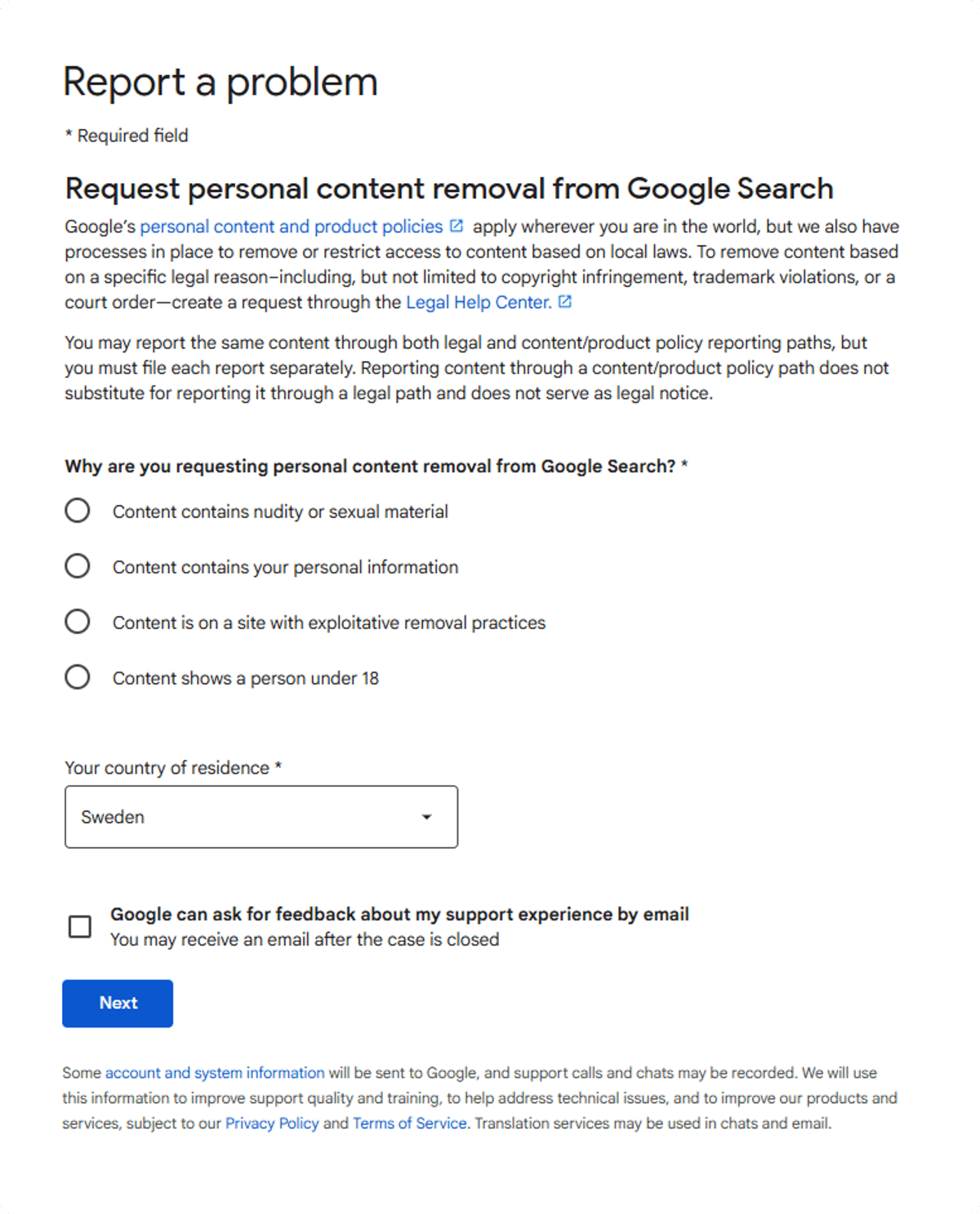
Use Google's content removal form. You pick what the page shows (contact details, ID numbers, images and so on), choose your country, and paste the links.
 Expand
Option 3: The right to be forgotten (EU and UK)
If you live in the EU, you can ask Google to delist results that are inaccurate, out of date or no longer relevant, even when they don't show contact details. Google weighs this against the public interest, so a news story about a public role usually stays.
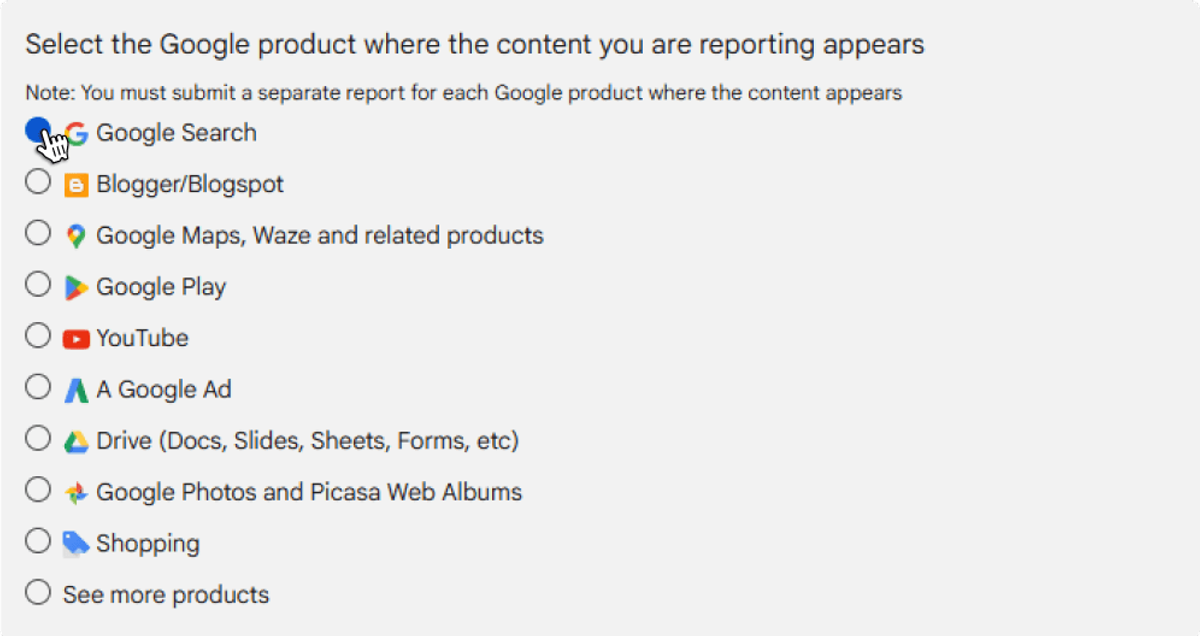
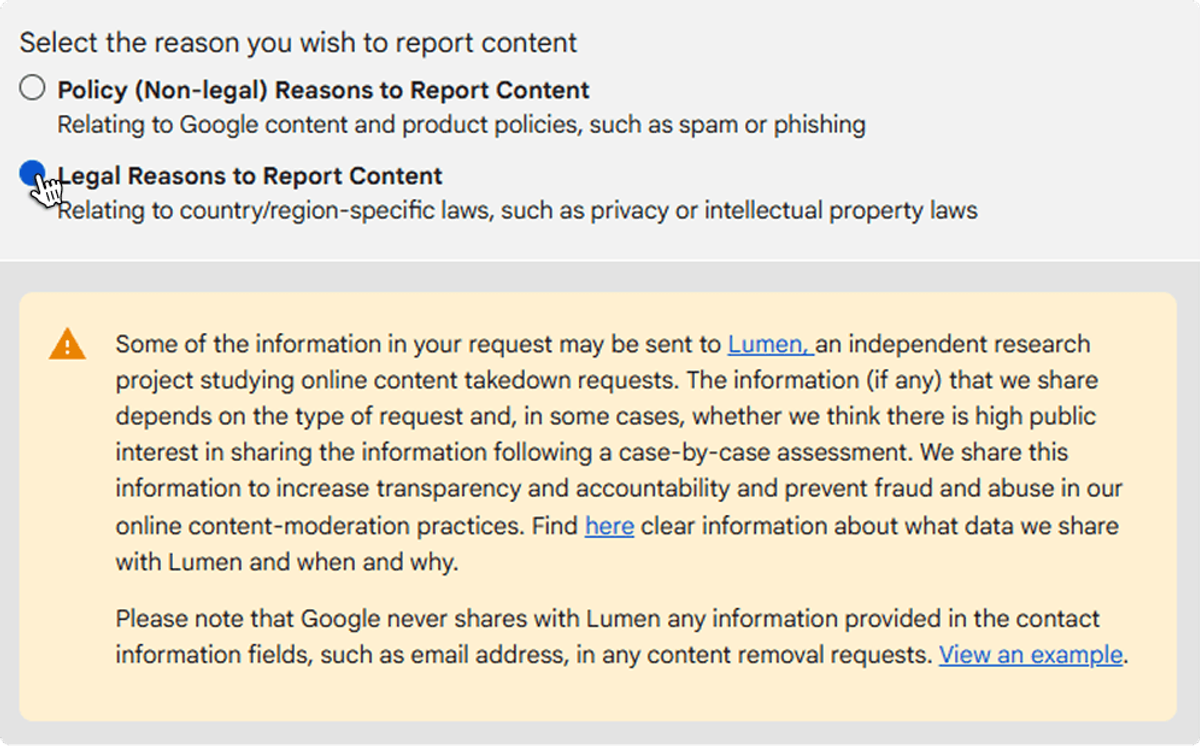
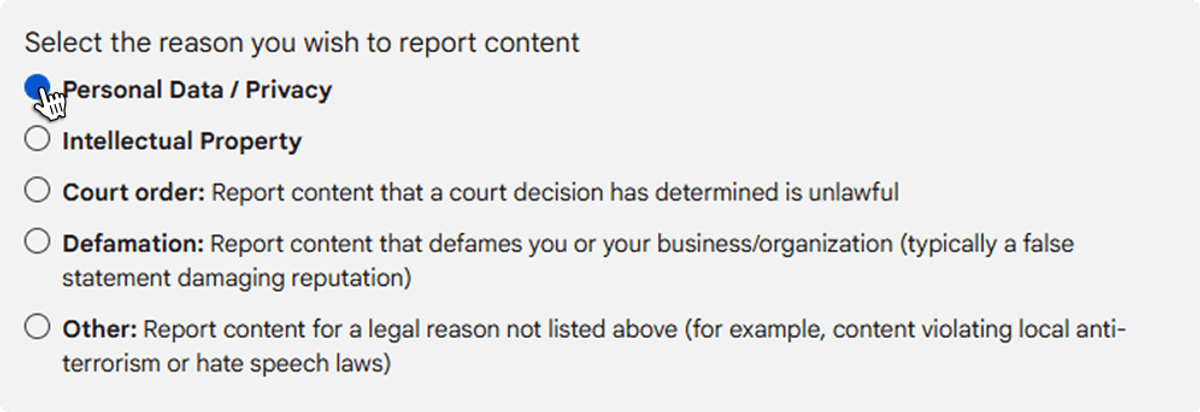
Open Google's legal removal troubleshooter and click through:
- Google Search
 Expand
- The product again (Google Search)
 Expand
- Legal reasons. Google notes here that it may share requests with Lumen, a public database of removal notices.
 Expand
- Personal data / privacy
 Expand
- Right to be forgotten
 Expand
- Create request
 Expand
How to find every link worth reporting
Search your name the way a stranger would. Try your full name in quotes, then add your city, your street, your phone number and your maiden name if you have one. People-search pages rank well for "name + city", so that search usually turns up the worst ones.
Check that each result is really you and not a namesake. Then open it and copy the exact address from the browser bar. Google judges every URL on its own, so a site with five pages about you needs five links, not one.
Keep the links in a single document as you go. You'll paste them into the form, and you'll want the list later to check what came down.
What happens after you submit
Google emails you a confirmation, then a decision for each link. There's no set timeline: a clear case (your home address on a people-search page) is usually quicker than a right-to-be-forgotten request, which a person has to weigh.
If a link is refused, the email says why. You can resubmit with more context, for example a screenshot showing your address on the page.
If the page has already changed or been deleted but Google still shows the old version, use the Remove outdated content tool instead. It refreshes the cached snippet.
What Google will and won't remove
| Usually removed | Usually stays |
|---|---|
| Your home address, phone number or personal email | Pages that aren't actually about you |
| Government ID numbers, bank or card numbers | Your own social media profiles (delete or lock those yourself) |
| Explicit images shared without your consent | News about a public role or a matter of public interest |
| Doxxing: your details posted to target you | Official and government records |
| Pages on sites that charge to take content down | Business details that must be public by law |
Table: What Google usually will and won't remove
When doing it by hand stops being worth it
One or two links: do it yourself, it takes 10 minutes. The hard part is people-search sites, which relist you after a few months and copy each other's data, so new pages keep turning up under your name. Sharing less in the first place helps too: here's how to protect your digital footprint.
That's the part Serus automates. It finds the sites that list you where you live, sends the opt-outs, gets results about you removed from Google, and checks again when listings come back. Run a free scan to see what shows up for your name.
Questions
Can I remove a whole website about me from Google at once?
No. Google processes removal requests per URL, not per website. Copy the full URL of each result and include every link in your request.
Do I need to follow up after submitting a removal request?
Usually not. Google reviews each link on its own, and you only need to follow up if a long time passes without any update.
Can Google remove news articles about me?
Sometimes. News articles about you are generally eligible as long as they aren't considered to be of public interest.
Will Google remove links to my own social media accounts?
Typically not. Google usually won't remove links related to your own social media accounts or links that don't actually refer to you.

Author
Ida NilssonCustomer Success Manager
Helps Serus customers get real outcomes — onboarding, guidance, and answers when it matters.

Reviewed by
Filip Landgren, PhD


