Delete Account
The fastest way to remove your account, no need to contact support.
Once deleted, your account and all connected data cannot be recovered.
If you've finished signup
- 1
Log in to your account
- 2
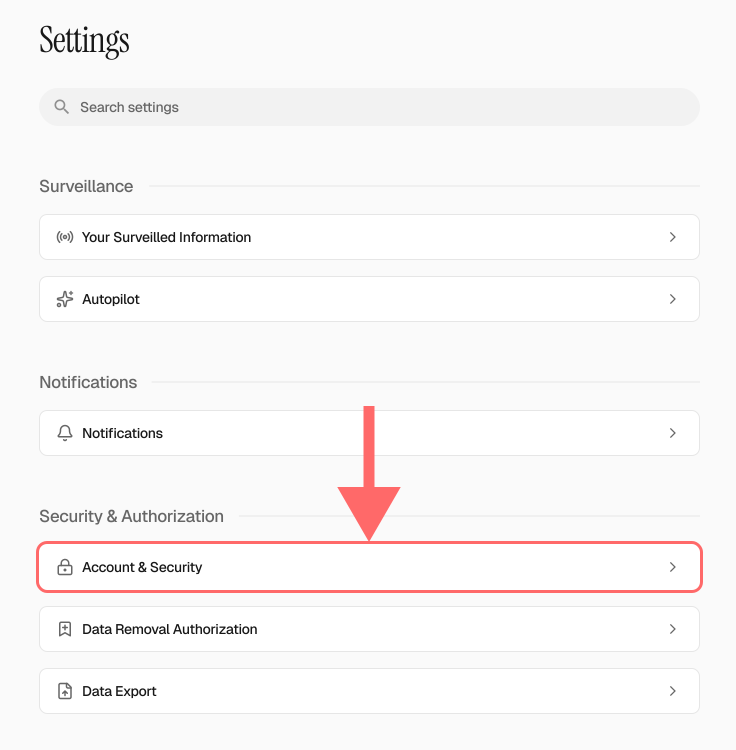
Go to Settings → Account & Security
- 3
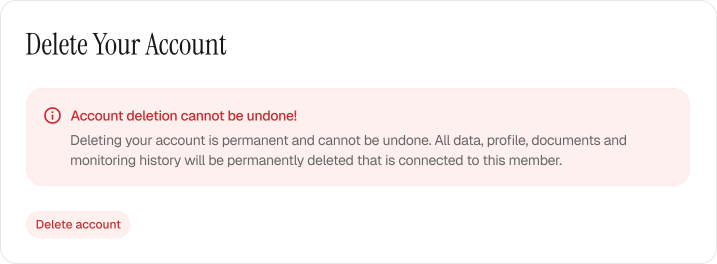
Delete Account
Scroll to the bottom of the page and click “Delete account.”
After account deletion no further action is needed.
Your account and all connected data are gone from our systems.
If you've not finished signup
- 1
Log in to your account
- 2
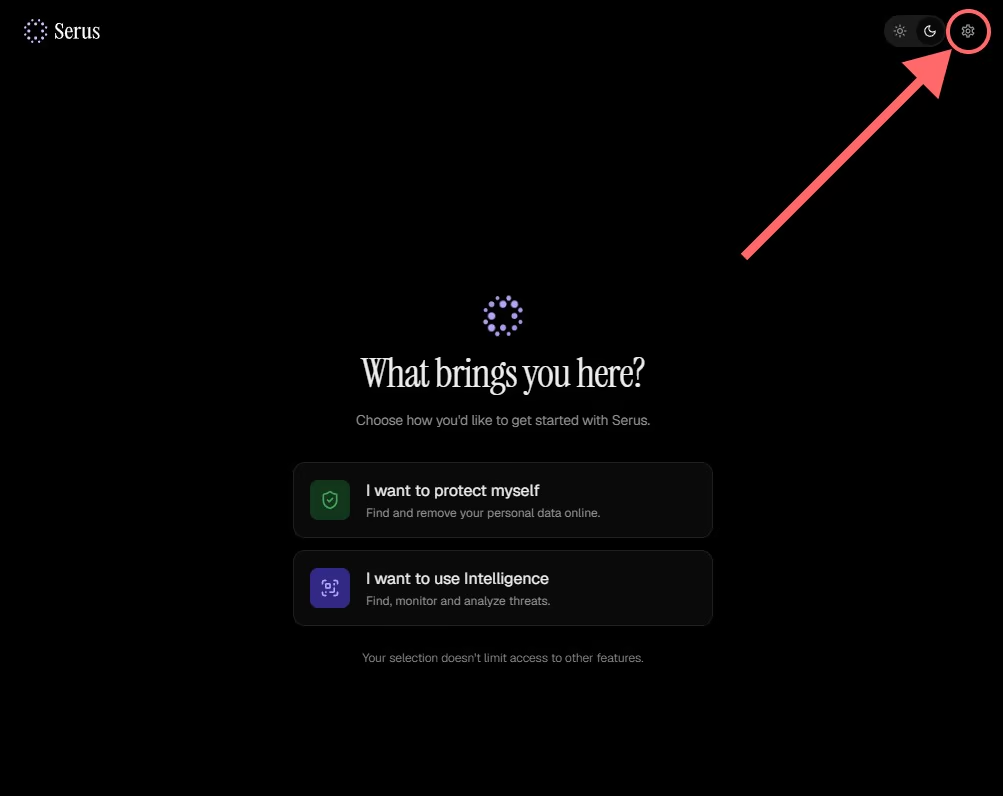
Click Settings
- 3
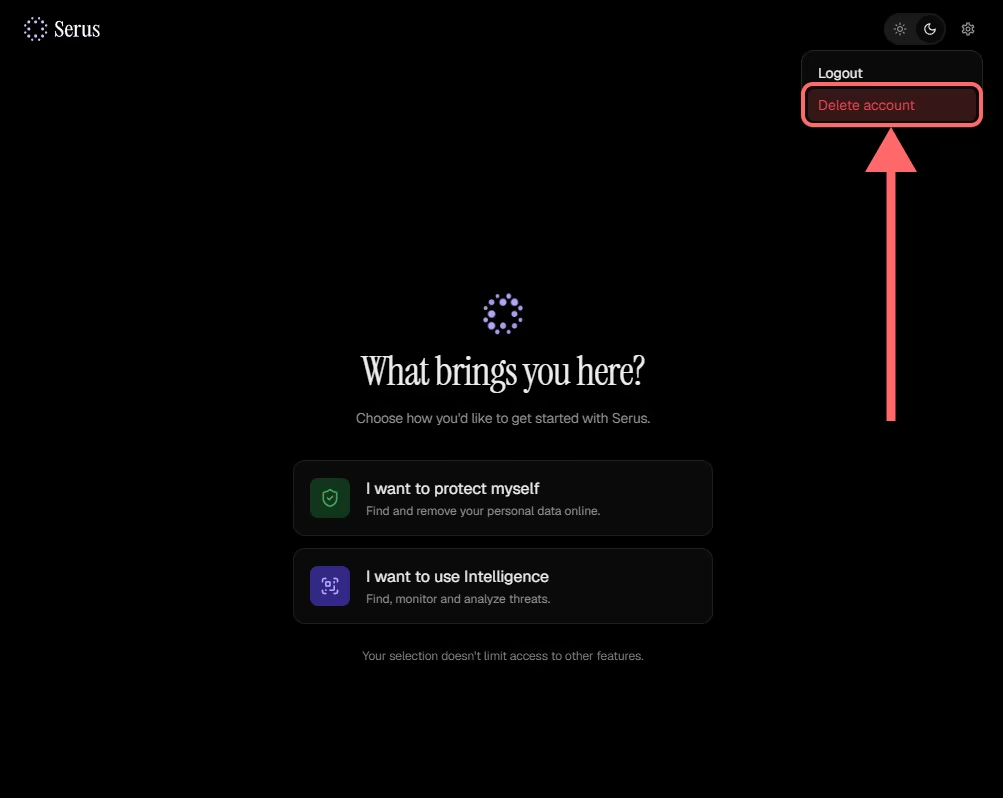
Delete Account
Select “Delete account.”
After account deletion no further action is needed.
Your account and all connected data are gone from our systems.